Create Music Videos
Turn a still portrait into a singing or talking video that matches your audio.
- Mouth shapes follow words and rhythm
- Great for vocals, hooks, and spoken lines
- Works with avatars, art, or real photos

You don’t have enough credits to complete this request.As a subscription member, you can buy one-time lifetime credits that never expire—no subscription and no auto-renewal. Use them anytime to create songs, instrumentals, or music content.
Upload one photo and an audio track. FreeMusicGen.com turns them into a short, vertical music video with AI lipsync and on-screen captions—ready to post in seconds.
Click to upload or drag audio here
MP3, WAV (max 10 minutes)Upload a song, vocal track, voiceover, or podcast clip. Max video: 60s.
Click to upload a vertical photo
JPG, PNG (Max 10 MB)Use a portrait image with clear face.
Billed by saved audio length in 5-second increments. 720p costs 2× 480p.


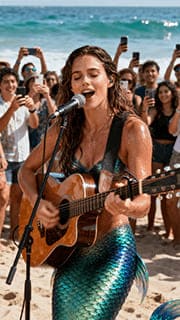



Make a still image feel alive. FreeMusicGen.com creates a scroll-stopping music video by syncing mouth movement and captions to your audio—no timeline editing needed.
One photo (JPG/PNG) — vertical portraits look best
One audio file (MP3/WAV) — choose up to 60 seconds
Get a vertical video with lipsync + captions that looks made for mobile.
Create a music video in three simple steps—upload, sync, and download. Add a short prompt if you want a specific vibe.
First, upload your audio and trim it. Enter a simple prompt and choose a resolution to finish.
Advanced AI analyzes and synchronizes facial movements with music
Our AI lipsync engine matches lip shapes, expressions, and timing to every word.
Download your vertical AI music video with subtitles, ready for social media.
Turn a still portrait into a singing or talking video that matches your audio.
Create lyric-style on-screen captions automatically—no typing needed.
Make a talking picture for announcements, intros, and story posts.
Add performance energy to a simple image—great for beats and drops.
Don’t want to show your real face? Use a character or brand persona.
We have seen many highly creative, great-looking videos made by users. FreeMusicGen.com AI Music Video generates actions and natural visual changes based on the people, objects, scenery, and background already in your uploaded photo. You can describe facial details, body details, and background details. Prompt tips:2. Holding a guitar or sitting at a piano: describe playing guitar or playing the piano.3. Inside a car or on a boat: describe the car driving on the road or the boat moving forward.4. Game screenshot: describe specific combat actions.5. Full-body photo: describe singing while dancing to create visible motion.6. Street photo: describe singing on the street and people in the background walking.7. Scenery photo: describe changes like clouds moving, lake water rippling, ocean waves, or desert wind/sand movement.Important: Video is generated based on your uploaded photo background. Each FreeMusicGen.com video generation is an independent event. Do not ask to change the scene from an indoor room to a different scenic location. Do not paste lyrics. Do not request to continue a previous video. These prompts reduce video quality. FreeMusicGen.com generates based on existing objects in the photo. If there is no guitar in the photo, prompting playing guitar will not add a guitar. Video results depend on the photo!
When you create a video using FreeMusicGen.com-generated music or your own uploaded audio, you need to set a Trim Start time and a Trim End time. The Trim End time is critical. Set the end point after a lyric line or spoken sentence fully finishes. If you cut too early, your generated video may end in the middle of a lyric or sentence. Also, match your audio and photo for the best result—if your track has a female voice but your photo is male, the video can look like a man singing with a female vocal.
Yes. You can generate a music video from an instrumental track you created on FreeMusicGen AI or an instrumental track you upload. In the Audio Language dropdown, select Instrumental (No Vocals). Please note that instrumental-only music videos do not include captions.
Up to 60 seconds per clip—optimized for short-form platforms.
Audio: MP3/WAV. Image: JPG/PNG. Please upload content you have rights to use.
AI lipsync matches the mouth movement and facial motion to your audio so the video looks in-sync with the words and beat.
Yes—songs, rap, narration, and voiceovers can all work. Clear audio helps most.
Yes. The tool can generate on-screen captions so your video stays understandable even when sound is off.
It supports 30+ languages and can usually detect the language from your audio when it’s clear.
Yes—videos are made for vertical, short-form posting across major platforms.
If a generation fails due to a technical issue on our side, the credits for that attempt are returned automatically.
Use a front-facing photo with a clear face, avoid heavy noise in the audio, and trim to your strongest 10–30 seconds.
In most cases, yes—if you own the rights to the audio/image and follow your plan’s terms and each platform’s rules.
Create music on FreeMusicGen.com (or upload your own track), then turn it into a lip-synced music video with captions—ready for short-form posting.